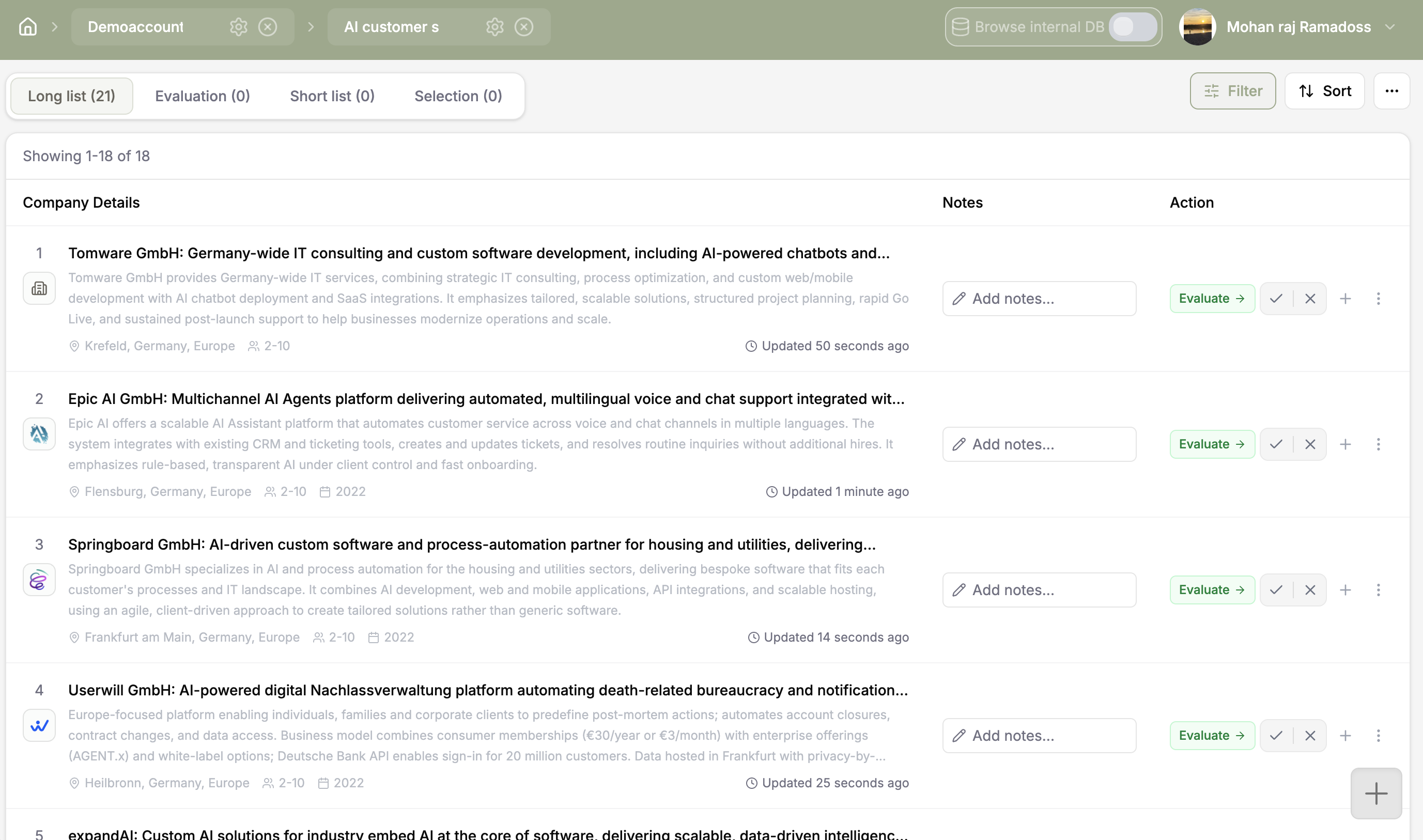
Next step tracking
Record owners, decisions, and the next action as shortlisted startups move toward a first conversation or pilot. The working history stays connected to the company and the scouting project.
A seven step walkthrough of the search, shortlist, and evaluation process inside Coopsaas.
See what happens at each stage, what Coopsaas does, and where your team stays in control.
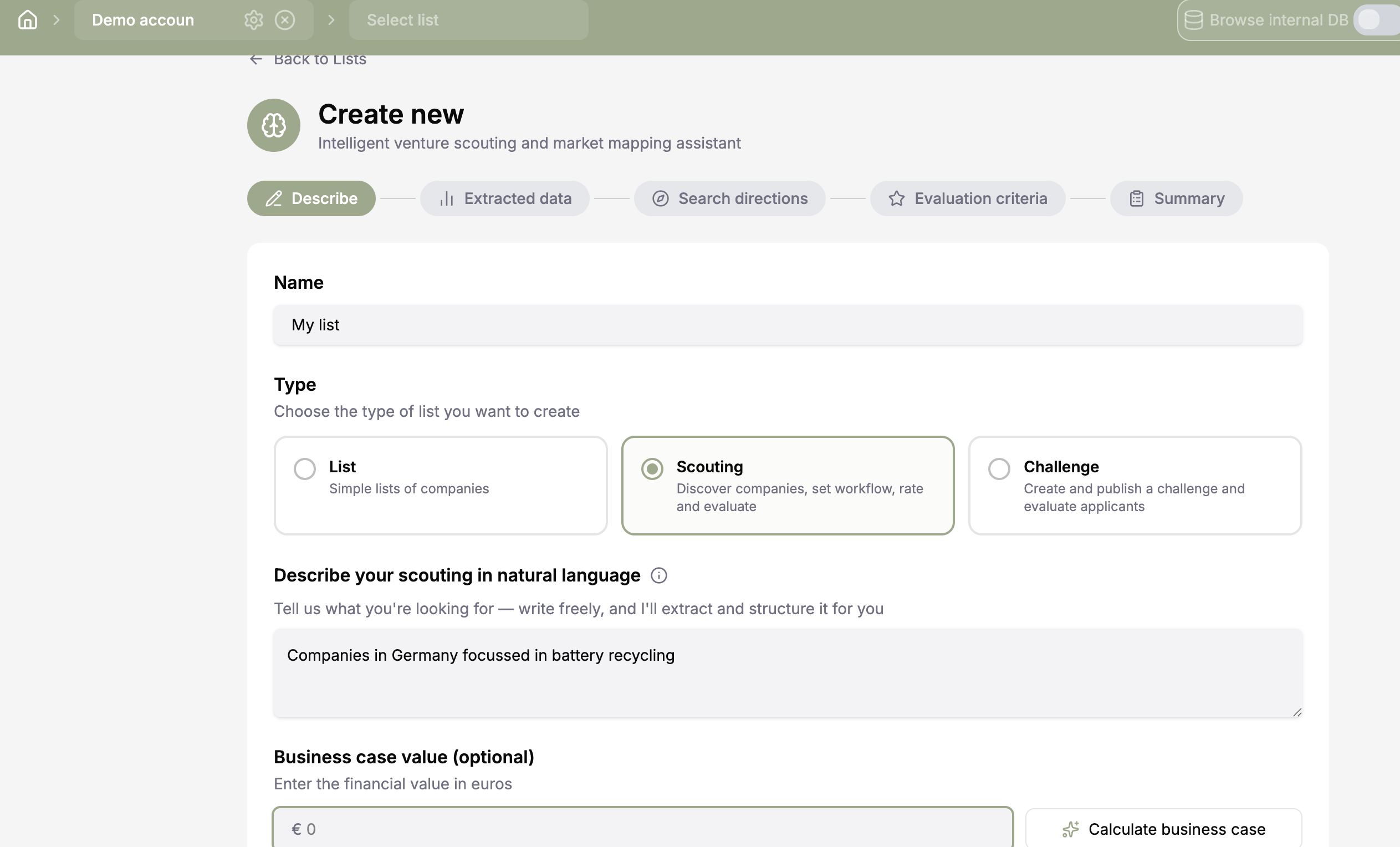
Write the challenge as you would explain it to a colleague. In this case, the goal is to find startups that use AI to reduce costs and improve customer support. Coopsaas turns that request into structured information that can guide the search.
Describe the outcome, audience, constraints, and business value in natural language. Avoid starting with a fixed startup name or narrow keyword.
Challenge brief turns an open question into a structured scouting project.
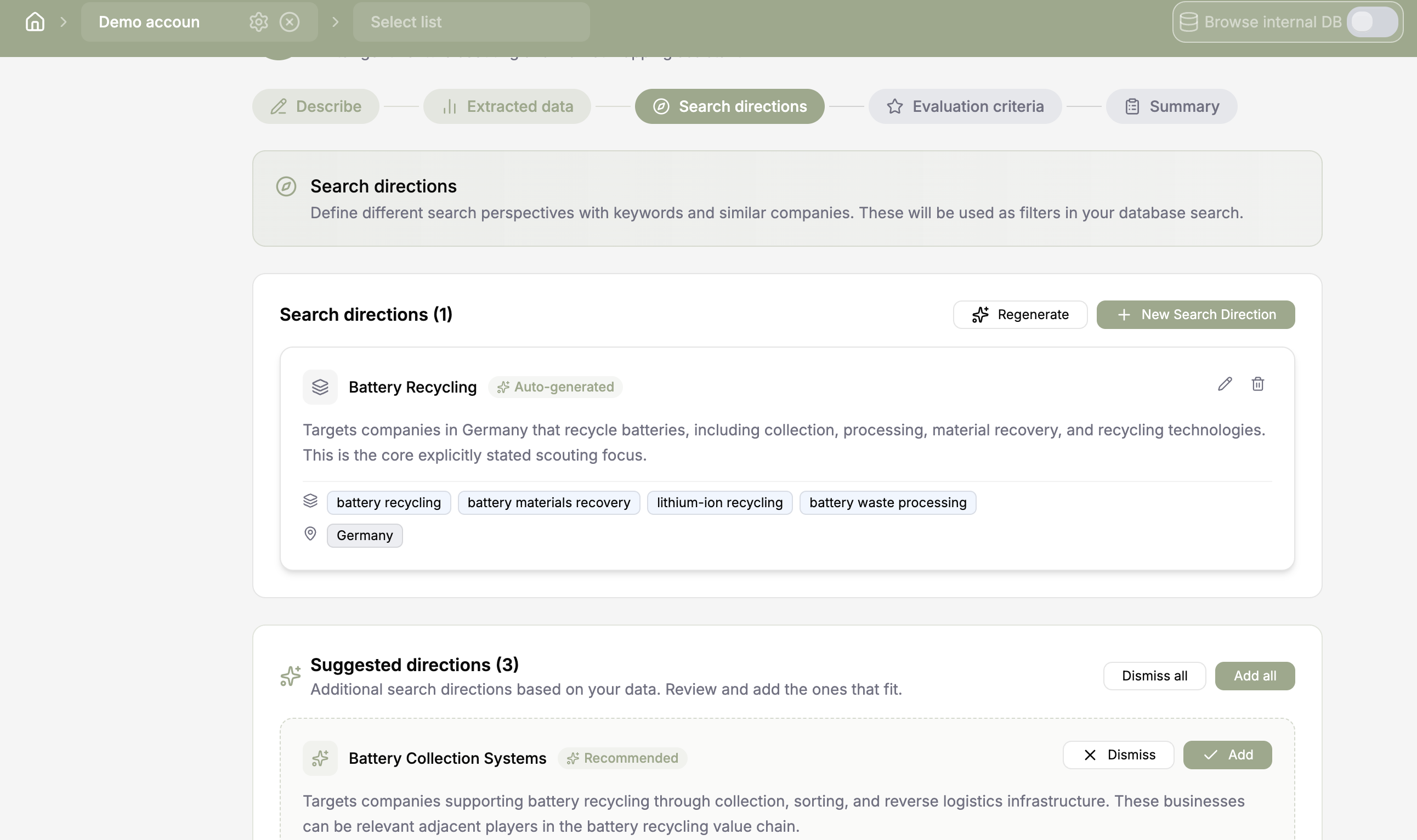
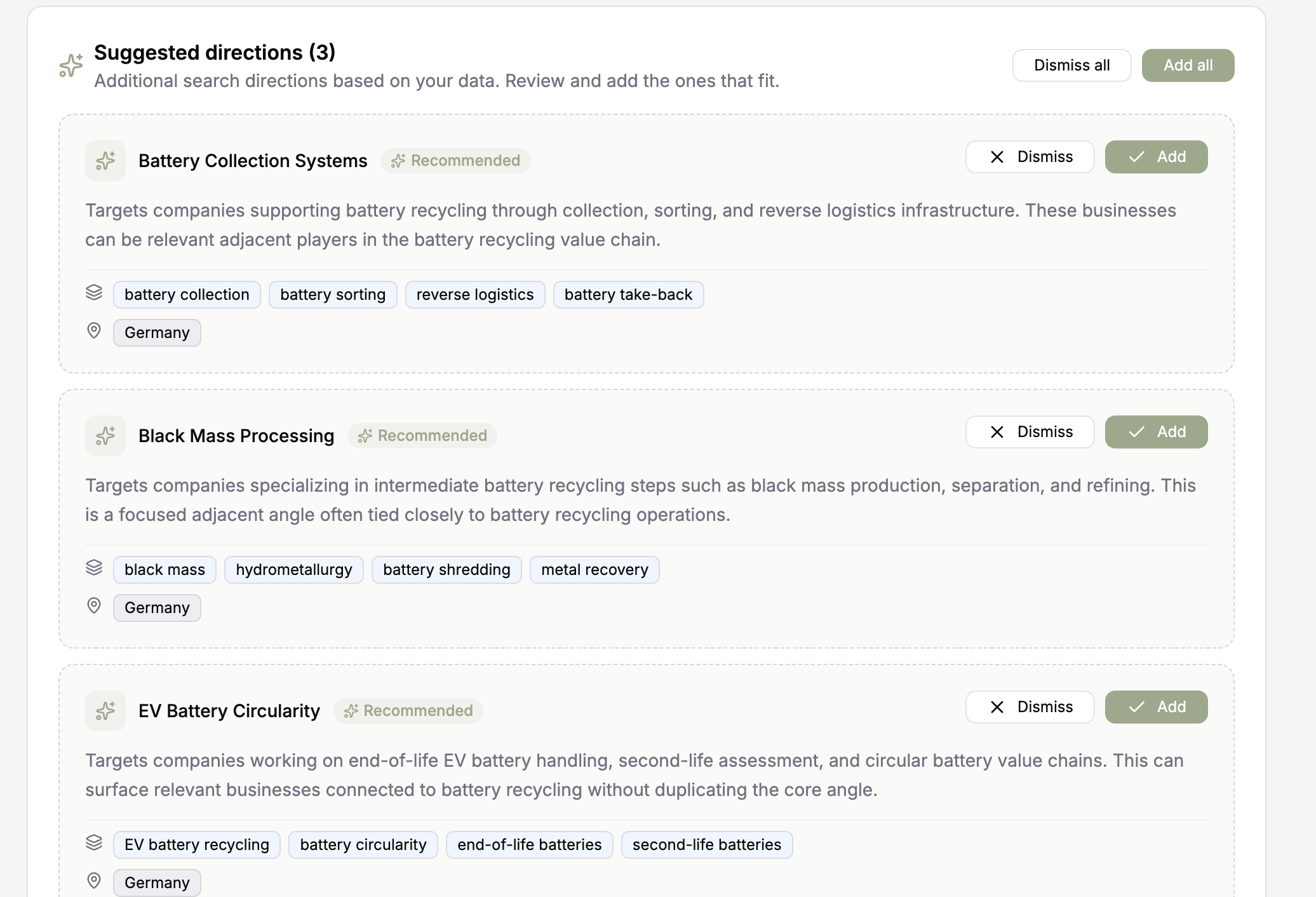
Coopsaas reads the meaning of the brief, not only the words. It extracts the main topic and suggests useful search directions such as agent assistance, automated resolution, quality monitoring, and knowledge retrieval. Your team can keep, edit, or remove every suggestion.
Review the suggested directions, keep the useful ones, and remove anything that does not belong in this customer support search.
AI assisted search directions expand the brief into relevant ways to search.
Search directions give the project clear boundaries. Add filters for geography, company size, business model, and maturity. Use semantic search to find relevant companies even when they describe the same capability in different language.
Select the search directions and add only the filters that matter for this decision. Use semantic search when the right company may use different words.
Semantic search and filters help shape a focused result set.
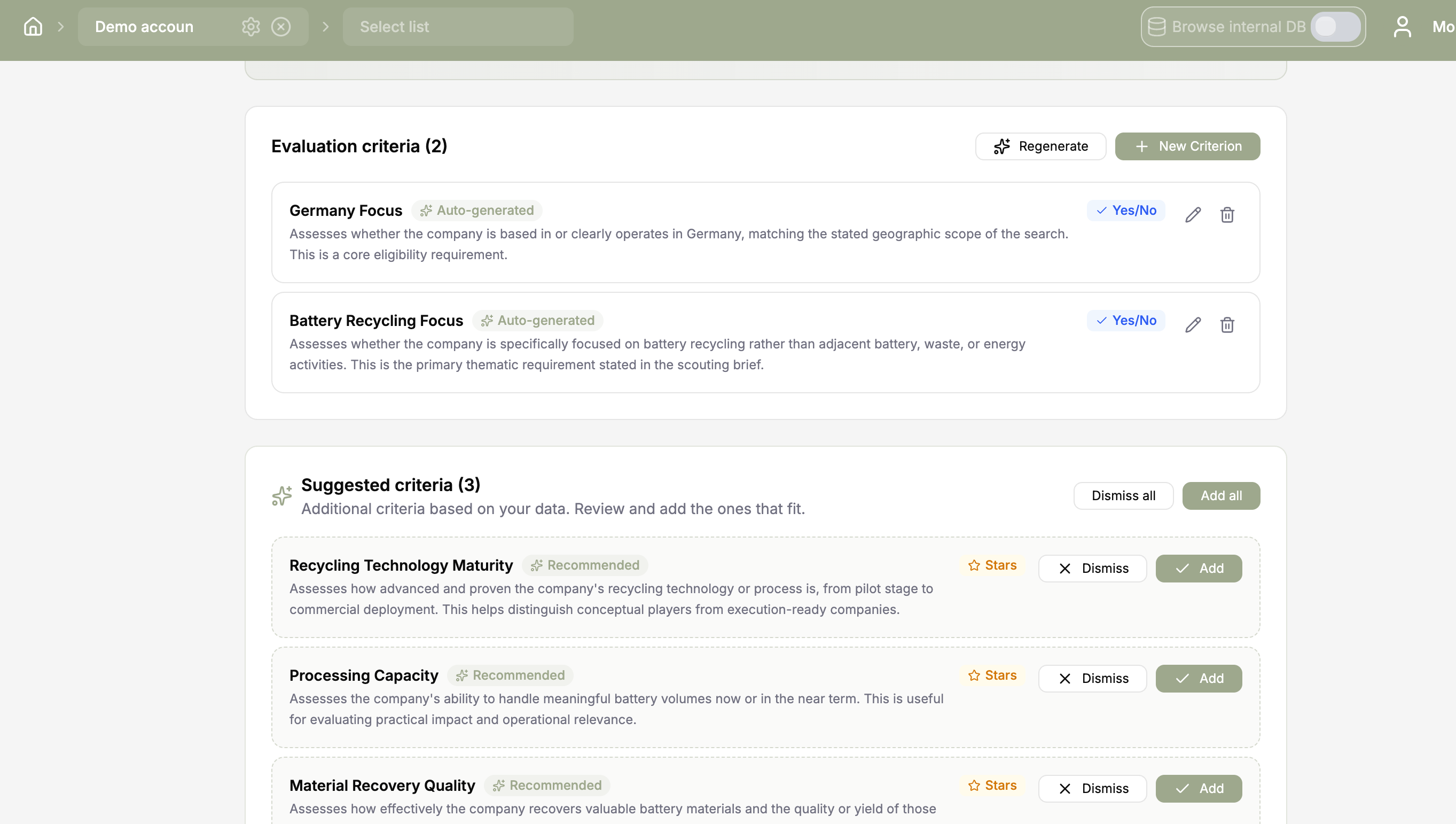
Set the criteria before anyone starts choosing favorites. Mix required gates with graded criteria such as expected cost impact, integration effort, response quality, data protection, and proof from existing customers. Coopsaas suggests a starting point and your team makes the final call.
Turn the decision into explicit criteria. Mark non negotiable requirements as gates and score the factors that can be compared.
Acceptance criteria keep the shortlist tied to the original business need.
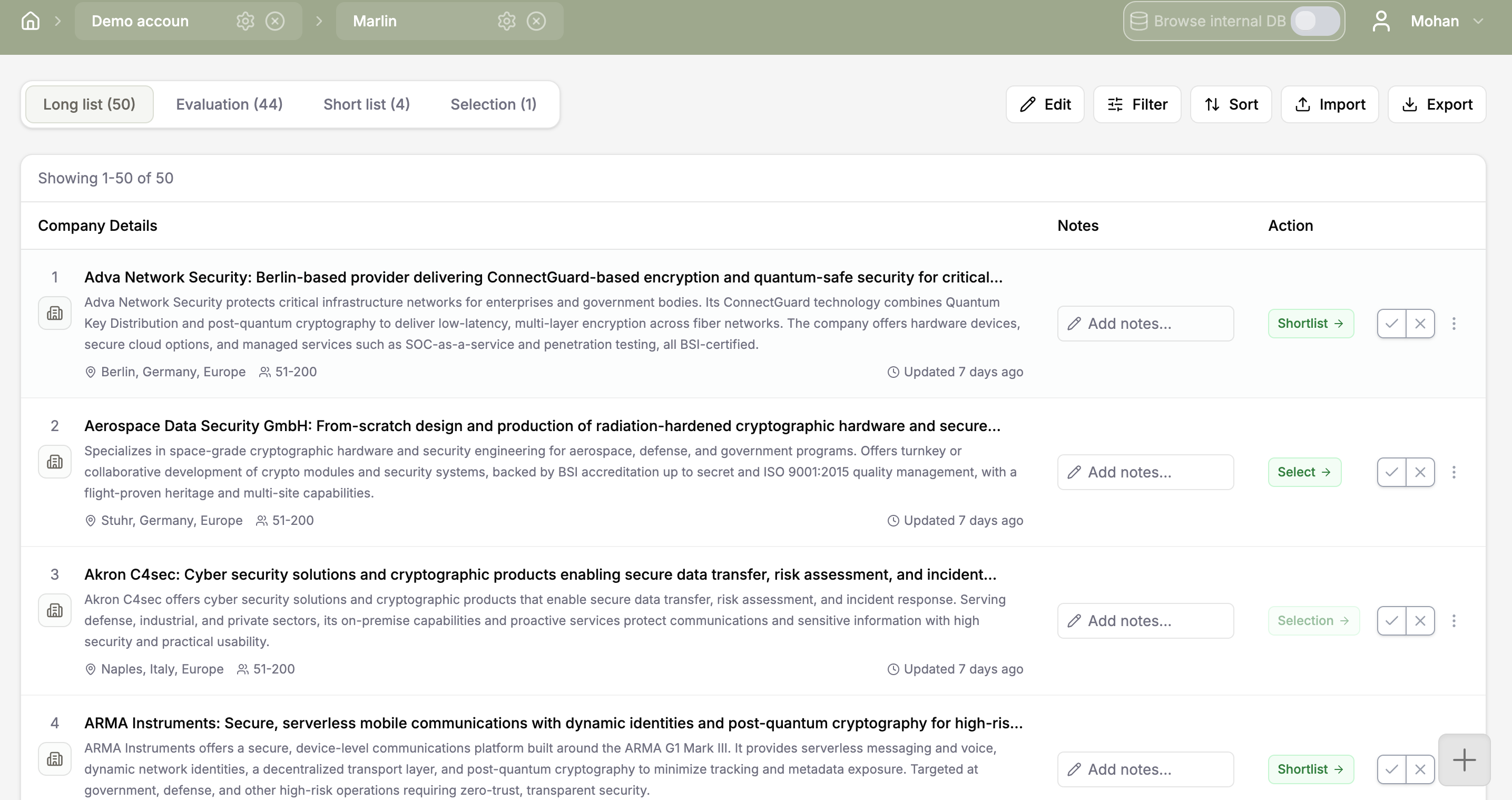
Open a structured profile for every promising startup in the longlist. Compare business focus, location, size, maturity, and available evidence in one place. Add notes as you go, then move the strongest candidates to the shortlist.
Open promising profiles, add a short reason for keeping them, and move only the strongest matches to the shortlist.
Longlist and shortlist actions make discovery easy to review and refine.
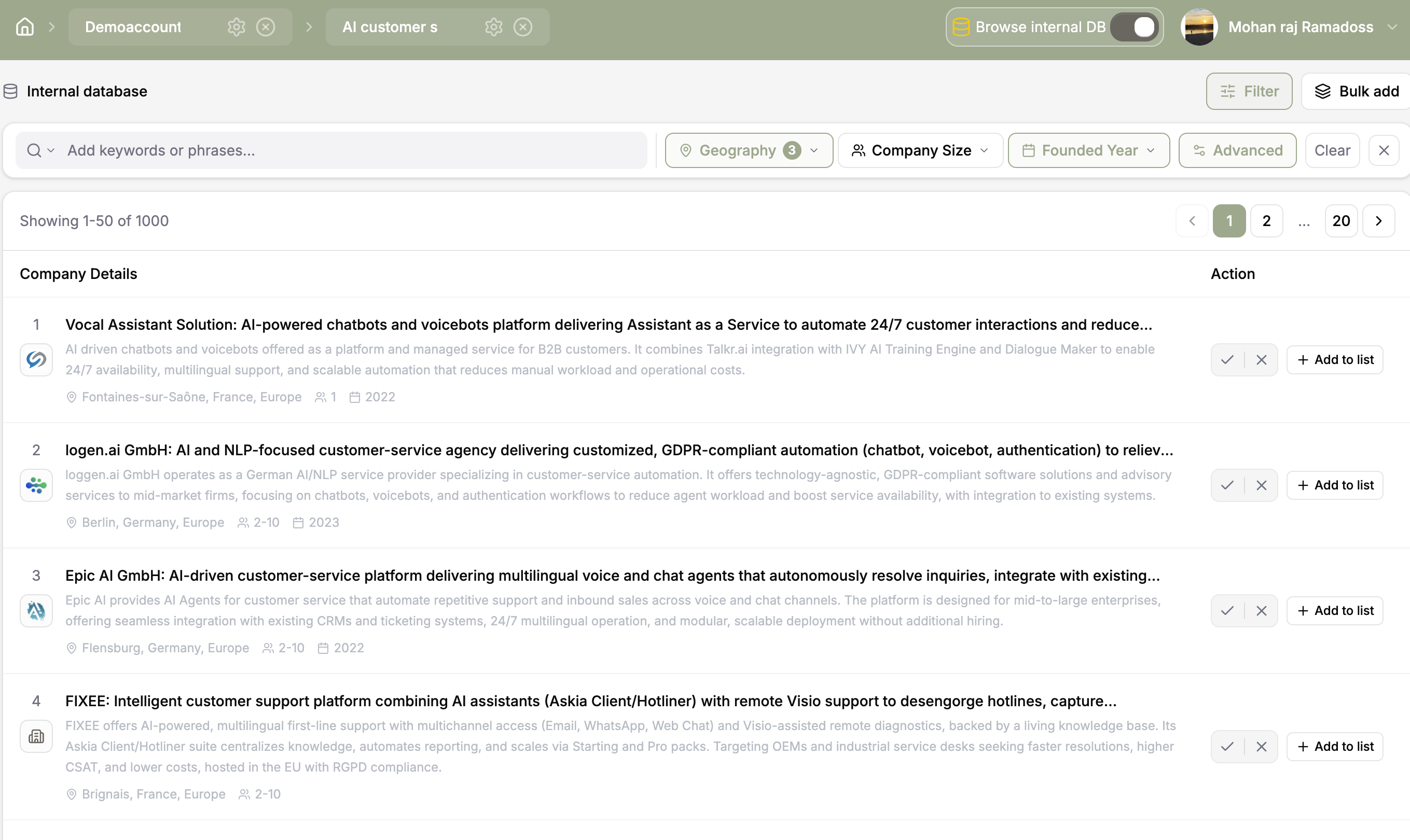
The Integrated Database add on gives scouting teams access to millions of structured company profiles in Coopsaas. Once the search directions are clear, semantic search and filters help find startups that match the customer support challenge.
It gives the project a broad starting pool for discovery. Your team still decides which companies are relevant and which ones move from the longlist to the shortlist.
Run the prepared search across the database, scan the returned profiles, and save the companies that deserve a closer look.
The optional Integrated Database add on opens access to millions of structured company profiles.
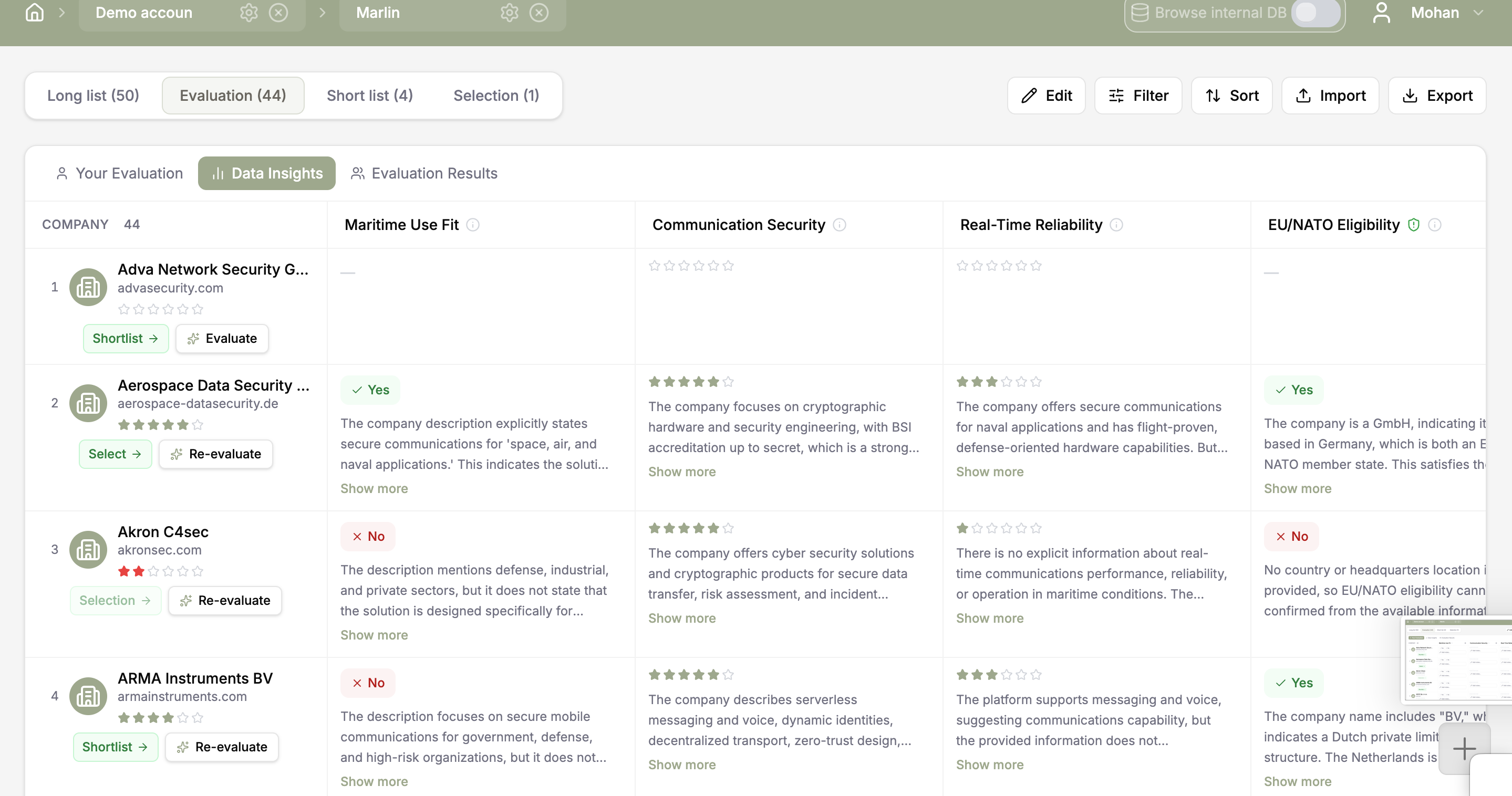
AI data insights compare each startup with every criterion and show the reason behind the result. Use this evidence to spot weak claims, missing information, and strong signals before the team meeting. The recommendation stays visible, but the decision remains with your team.
Read the match explanation against each criterion. Use it to identify follow up questions instead of accepting a recommendation without review.
AI data insights make the reasoning behind each match visible.
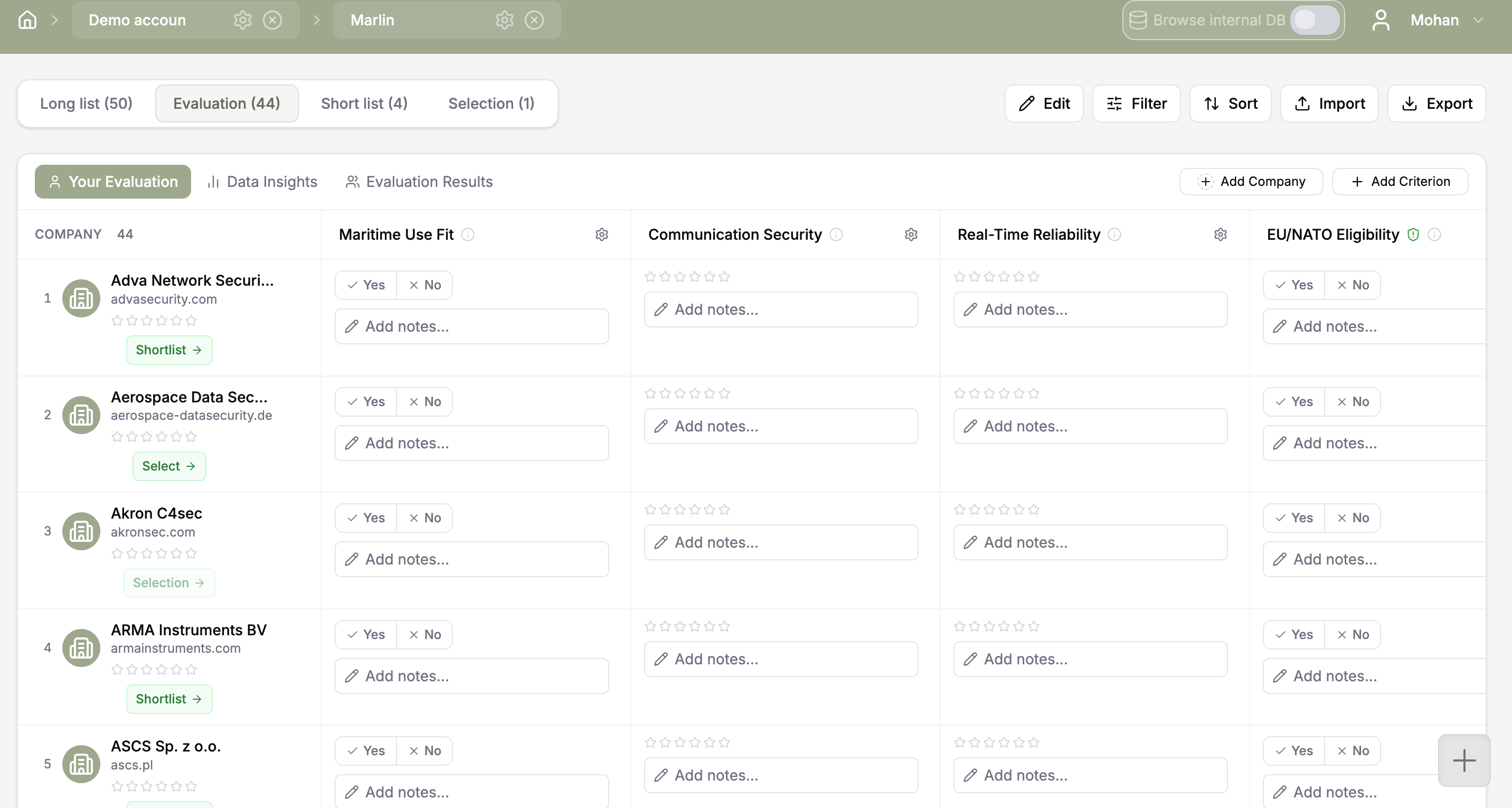
Invite colleagues to rate each startup against the agreed criteria and add notes directly to the record. Coopsaas keeps every rating, comment, and decision together. When someone asks why one startup moved forward, the answer is already there.
Invite the people involved in the decision, ask them to rate the same criteria, and use notes to resolve different views.
Shared ratings, comments, and decision history keep the team aligned.
Keep the work moving without rebuilding the story in another tool.
Record owners, decisions, and the next action as shortlisted startups move toward a first conversation or pilot. The working history stays connected to the company and the scouting project.
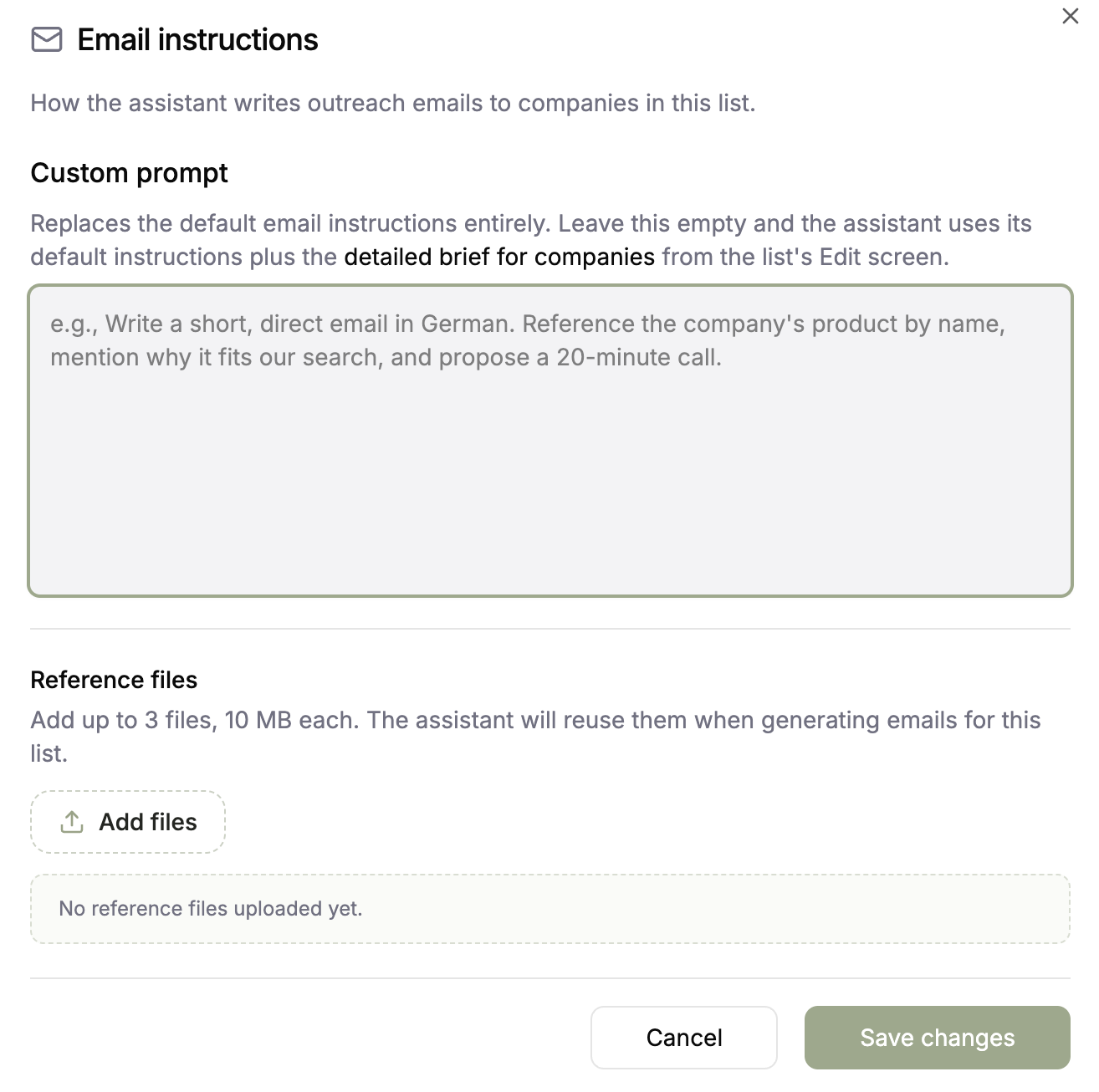
Give the assistant clear outreach instructions and approved reference files, then generate tailored emails without exposing personal contact data or moving sensitive context into a separate research document.
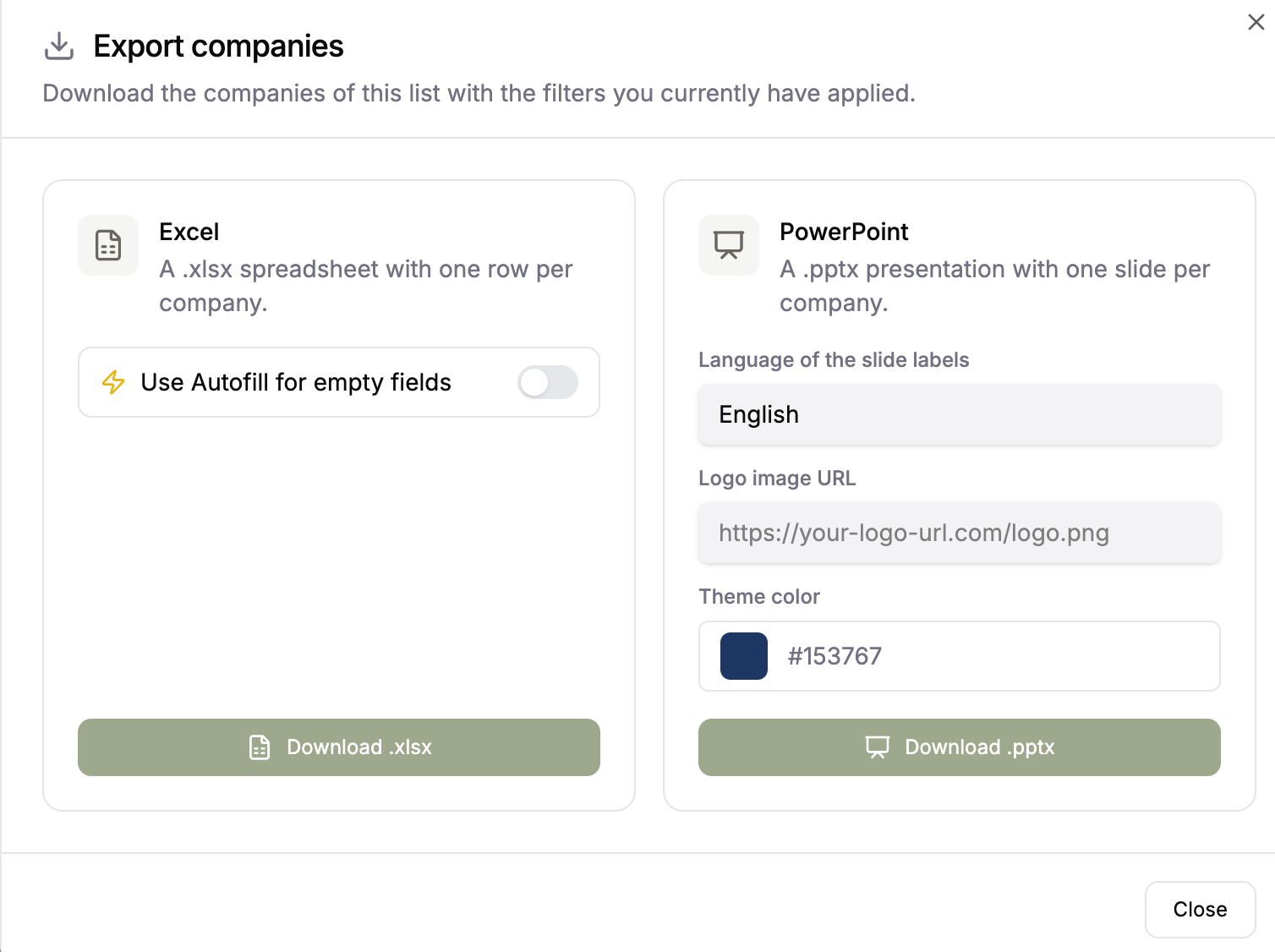
Export the shortlist for a working session or a decision meeting. Choose Excel for analysis or PowerPoint for one company per slide, with source records kept in Coopsaas.